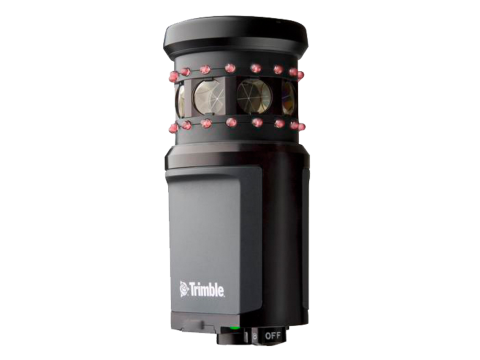
Maintain target lock with confidence using Trimble Active Tracking technology and selecting from 8 different channels. This target can also work as a passive 360 prism.
Target height - Trimble Standard - 135mm
Prism Constant: +10mm
When using the Trimble MT1000 MultiTrack target, to maintain constant lock to the correct target, set the Tracking mode to:
- Active when operating in a highly reflective environment or on a site with many prisms.
Semi‑active when operating in a reflective environment and require precise elevations.
When the tracking mode is set to semi‑active, the Target ID is used to track the prism, and then automatically switches to passive tracking mode when taking a standard measurement. This results in more precise vertical angle measurements.
If you do not operate in a reflective environment, set the Tracking mode to Passive.When passive tracking is used when measuring, be aware that there is a risk of nearby reflective surfaces interfering with the measurement.
The MultiTrack target should be used within the vertical angle tolerances shown:
| Tracking mode | Vertical range |
|---|---|
| Active | +/‑ 15° from horizontal |
| Passive | +/‑ 30° from horizontal |
Using the MultiTrack target outside these tolerances may degrade the accuracy of the measurement.
Was this article helpful?
That’s Great!
Thank you for your feedback
Sorry! We couldn't be helpful
Thank you for your feedback
Feedback sent
We appreciate your effort and will try to fix the article