Please see TBC Tip #189 below:
Hey TBC’ers! Software updates and continuous improvements are vital in prolonging the use and lifecycle of Trimble's software solutions. Periodic releases are also essential in preventing security issues while improving program compatibility with respect to it's features. Ensure that your TBC is up-to-date and running the latest desired product version.
1. Open TBC’s Support Tab.
 2. Under the license ribbon, navigate to 'Check for Updates'.
 3. Scroll through the available updates, select the desired option(s), read the software description and hit 'Install Updates'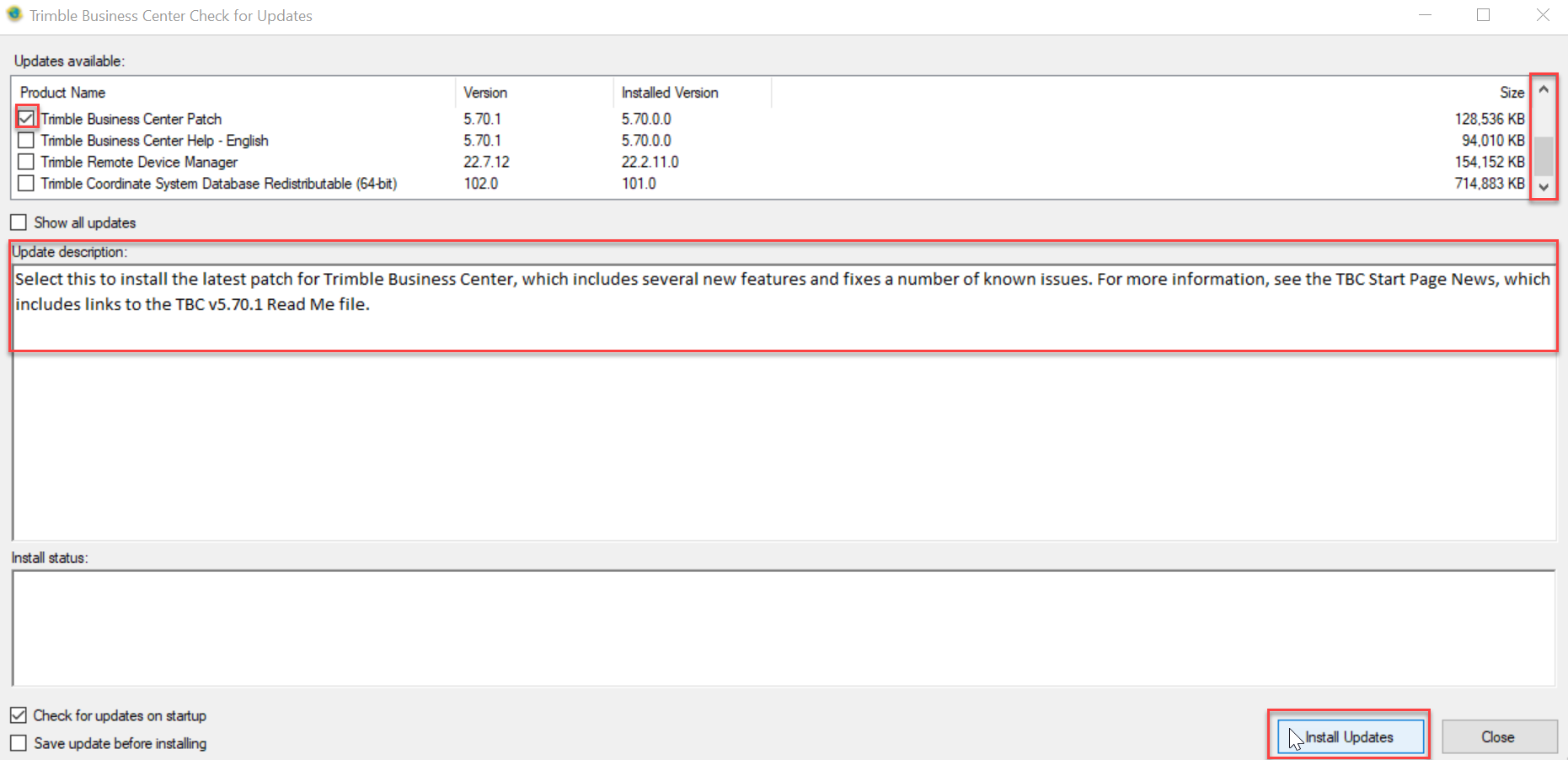
Was this article helpful?
That’s Great!
Thank you for your feedback
Sorry! We couldn't be helpful
Thank you for your feedback
Feedback sent
We appreciate your effort and will try to fix the article